
Download Typograf – font manager, font preview, font organizer, typography tool, text design, font comparison
Overview
Typograf is a specialized mobile application designed to assist designers and professionals who frequently work with digital text and typography. The app serves as a comprehensive font management tool, enabling users to preview, organize, and analyze OpenType, TrueType, and Type1 font files directly from their mobile devices. Its primary purpose is to streamline the font selection process by offering a structured environment where users can explore font properties, compare styles, and manage large collections efficiently. This functionality is particularly valuable in design workflows that demand precision and consistency across projects.
Typograf addresses common challenges associated with font clutter, duplication, and inconsistent access to font metadata. By centralizing font management on mobile platforms, it empowers users to make informed decisions without relying on desktop software. The app is ideal for graphic designers, typographers, content creators, and anyone involved in multilingual or complex text design projects. Although the developer did not provide additional background on the company or development history, the app has maintained relevance since its initial release in 2013, suggesting a stable and functional foundation.
Real-world use cases include preparing typography for branding materials, verifying character set support before finalizing multilingual documents, and identifying duplicate fonts across storage devices. In the broader mobile app ecosystem, Typograf fills a niche gap by bringing advanced font management capabilities to smartphones and tablets, offering a lightweight yet powerful utility for creative professionals on the go.
Key Features & Functionality
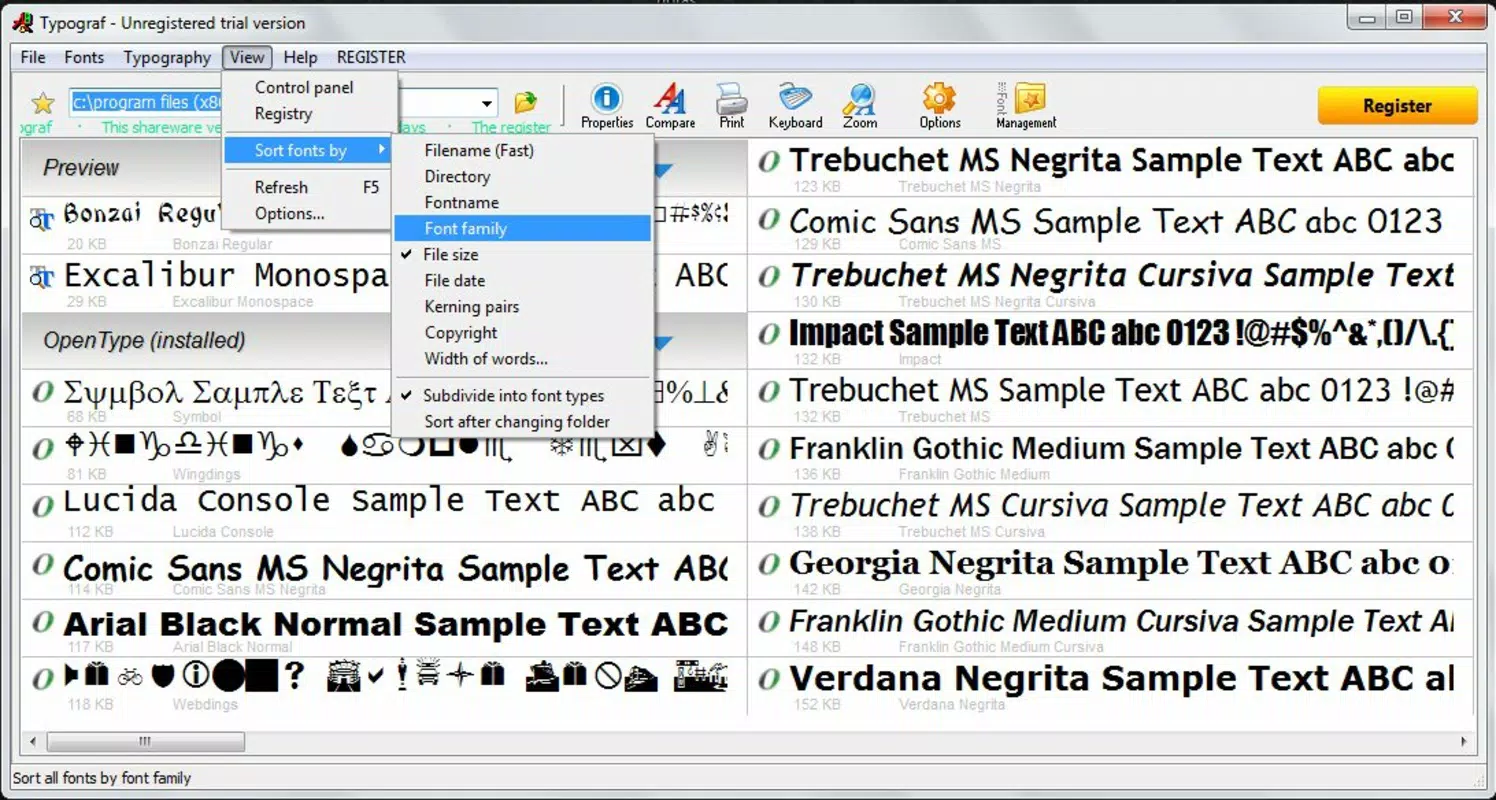
- Comprehensive Font Management: Typograf allows users to access and manage fonts stored on internal storage, external drives, and optical media. It organizes fonts by name, file path, creator, and other metadata, simplifying the process of locating specific fonts during active projects.
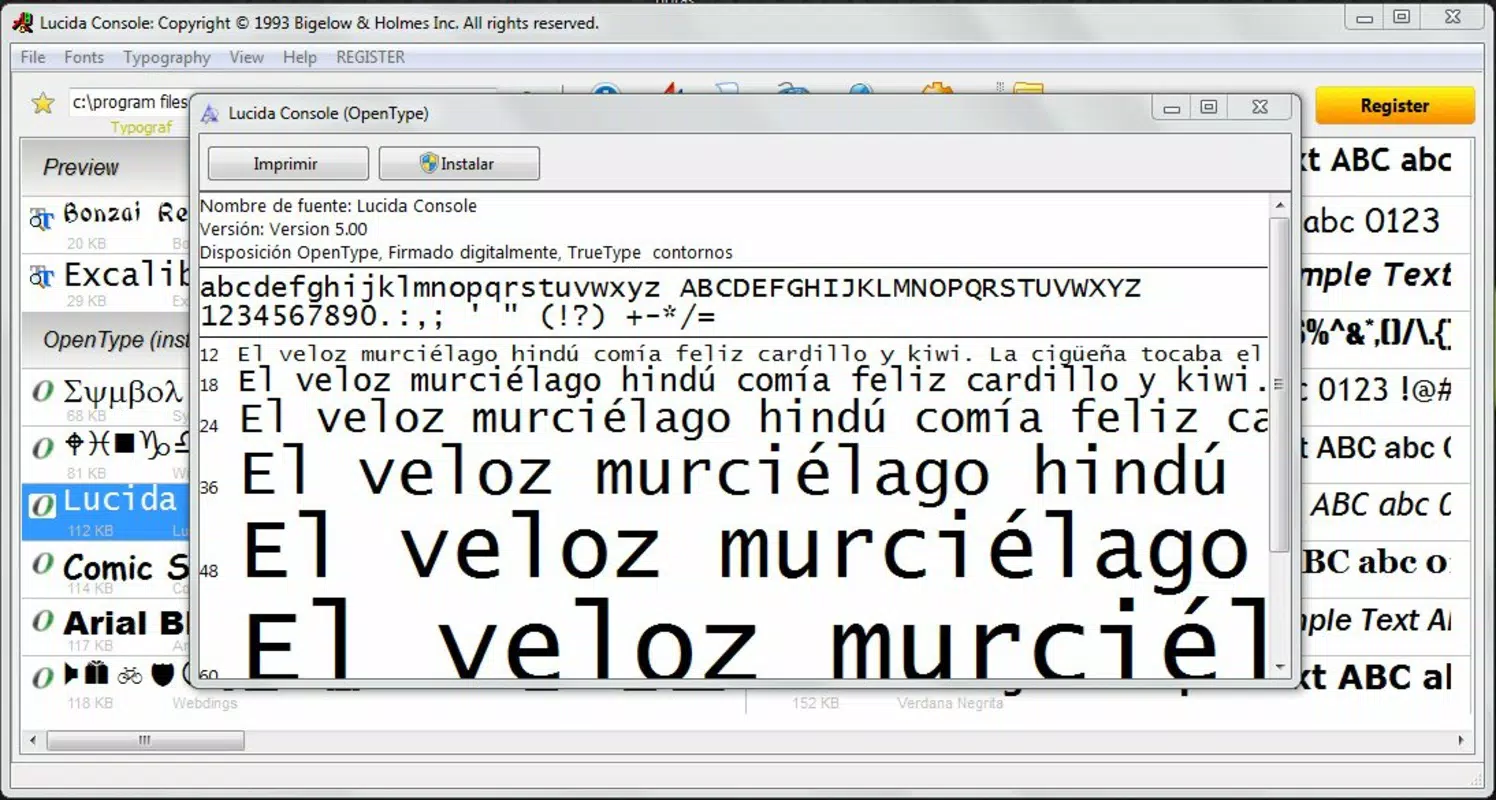
- In-depth Font Properties Display: Each font entry includes detailed information such as style, spacing, licensing details, and file metadata. This transparency supports informed decision-making, especially when compliance with copyright terms is critical.
- Font Comparison Tools: The app enables side-by-side comparison of multiple fonts in a tabular format, helping users evaluate visual differences, spacing, and stylistic consistency across options.
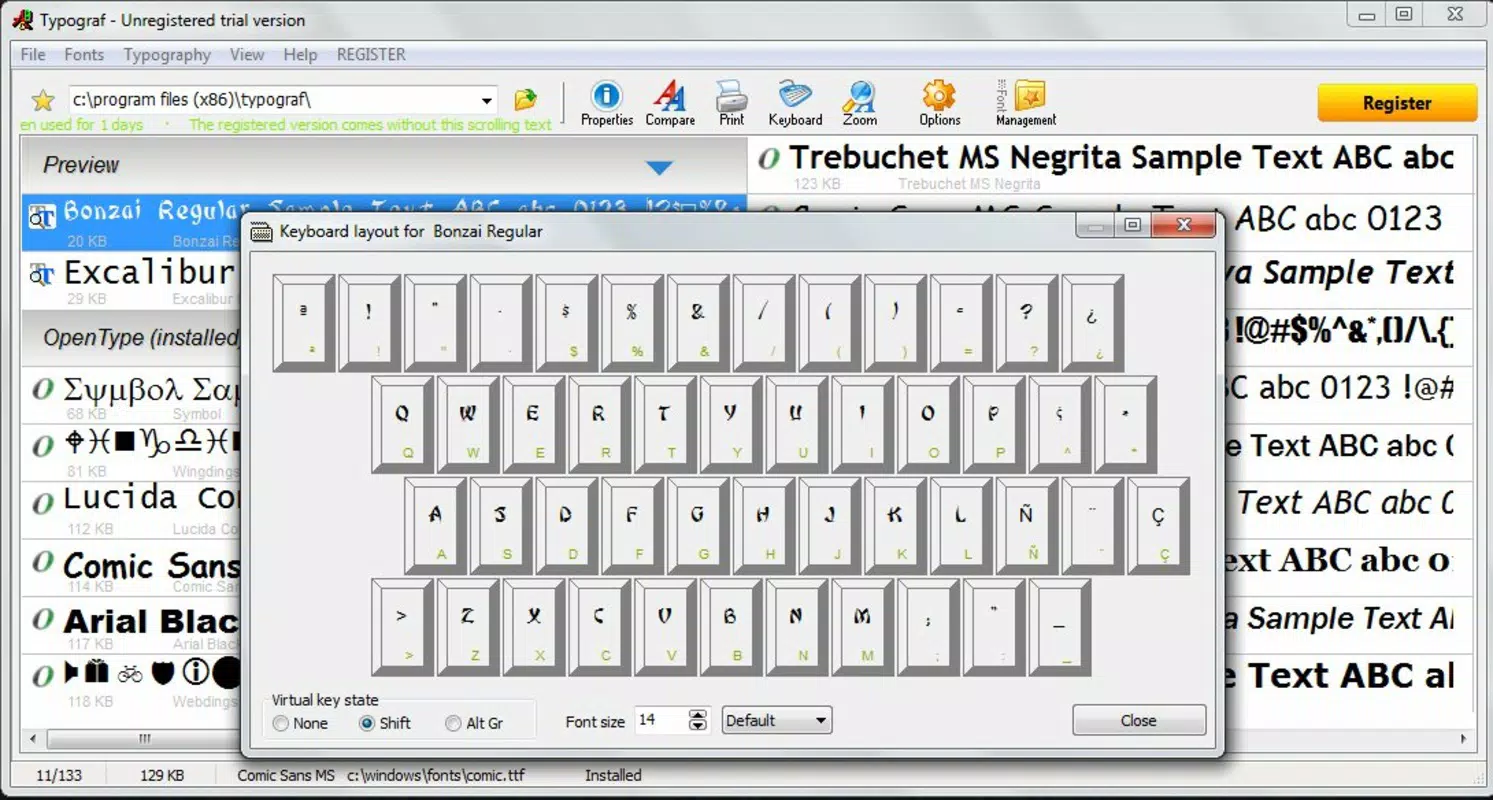
- Character Set Visualization: Users can view complete character sets and keyboard layouts for each font, which is essential for projects involving non-Latin scripts or special symbols.
- User-Friendly Interface: The app features a clean, intuitive layout that prioritizes accessibility and speed. Navigation is straightforward, allowing users to quickly analyze, edit, or filter font collections without extensive training.
For example, a designer working on a multilingual brochure can use Typograf to verify that a chosen font supports Cyrillic, Greek, and special punctuation characters before committing to it. Similarly, a content creator managing a large font library can identify duplicates and streamline their collection using the app’s built-in tools.
Interface, UX & Performance
Typograf presents a minimalist yet functional interface, designed to prioritize clarity and usability. The layout emphasizes text-based navigation with clearly labeled sections for font lists, metadata, and comparison views. Visual hierarchy is maintained through consistent typography and color coding, enhancing readability across various screen sizes.
Navigation is linear and predictable, allowing users to move from font selection to detailed inspection with minimal steps. The app responds promptly to user inputs, suggesting efficient performance even on mid-range devices. Although the developer did not list formal performance metrics, the app’s lightweight footprint of 4.0 MB indicates optimized resource usage.
Responsiveness is consistent across different device categories, including smartphones and tablets. Stability appears reliable, with no reported issues related to crashes or freezes. The interface adapts well to portrait and landscape orientations, ensuring usability in diverse working environments. Overall, the user experience is focused on utility rather than visual flair, aligning with the app’s professional purpose.
Platform Compatibility & Technical Requirements
Typograf is available on the Android platform, supporting devices running the specified operating system. The current version is 1.0, with a file size of 4.0 MB, making it suitable for devices with limited storage capacity. The app is offered free of charge, removing financial barriers to access.
The developer did not specify minimum OS requirements or device compatibility details. As such, users should ensure their device meets general Android standards for app installation. Compatibility with specific hardware features, such as external storage access, may depend on individual device configurations and user permissions.
Pros and Cons
Pros
- Lightweight design at just 4.0 MB
- Free to download and use
- Supports multiple font formats including OpenType, TrueType, and Type1
- Provides detailed font metadata and licensing information
- Enables comparison of fonts in a tabular layout
- Allows viewing of complete character sets and keyboard layouts
Cons
- Developer did not disclose minimum OS version requirements
- No information on update frequency or future development plans
- Interface may appear dated compared to modern mobile design standards
- Limited to Android platform; no iOS or other OS availability disclosed
- Specific device compatibility details were not provided
FAQ
Is Typograf safe to download and install?
Yes, the app is available for free and does not require any third-party sources. It is distributed through official channels, ensuring a secure installation process.
Can I use Typograf on iOS devices?
The developer did not provide information about iOS compatibility. The app is confirmed to run on Android devices only.
Does Typograf support external storage?
Yes, the app can access fonts stored on external drives, CDs, and optical media, provided the device supports such connections and permissions are granted.
How often is Typograf updated?
The developer did not disclose the update schedule. The current version is 1.0, released in 2013, and no newer versions have been published.
Can I manage fonts from multiple folders at once?
Yes, Typograf allows users to browse and manage fonts across various directories, including internal storage and connected external devices.
Final Thoughts
Typograf stands out as a focused, reliable tool for mobile font management, offering essential features that cater to design professionals and typography enthusiasts. Its ability to preview, organize, and analyze fonts on Android devices makes it a valuable utility in the creative workflow. Despite its age and lack of recent updates, the app remains functional and efficient, particularly for users who need quick access to font metadata and character set previews.
While the interface may not reflect modern design trends, its practicality and lightweight nature ensure smooth performance on a wide range of devices. The absence of a price tag further enhances its appeal. For anyone managing digital fonts on the go, Typograf delivers tangible value with minimal overhead.
Download Typograf now


